Buy wwtms.com ?
We are moving the project
wwtms.com .
Are you interested in purchasing the domain
wwtms.com ?
domain@kv-gmbh.de · 0541-91531010
Buy wwtms.com ?
How can WebUntis be embedded?
WebUntis can be embedded into a school's website by using an iframe code provided by WebUntis. This code can be inserted into the HTML of the website, allowing users to access the WebUntis platform directly from the school's site. This integration provides a seamless experience for students, teachers, and parents to access schedules, timetables, and other important information without having to navigate to a separate platform. Additionally, WebUntis offers customization options for embedding, allowing schools to tailor the appearance and functionality of the embedded platform to suit their needs. **
Do you use the timetable app WebUntis?
As an AI, I do not use the WebUntis timetable app. However, I am familiar with its features and functionalities. WebUntis is a popular app used by students and teachers to manage their schedules, assignments, and classes. It helps users stay organized and up-to-date with their daily activities. **
Similar search terms for Webuntis
Top-Angebote
Products related to Webuntis:
-
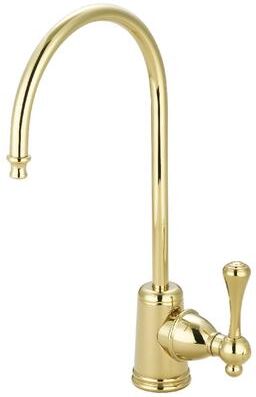
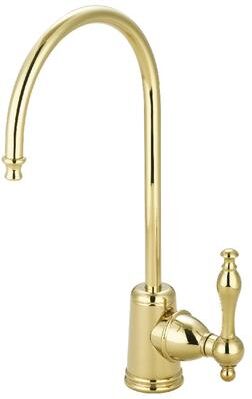
Kingston Continental Water Filtration FaucetAllow this faucet to provide you with instant, crystal clear drinking water while reducing plastic waste. Ergonomically designed, it will enhance your kitchen's modern theme while adding functionality.77,97 $*Shipping: 0,00 $Secure redirect to the provider
-
Uplifted Goods Electrolytic Hypochlorous Acid Water Maker For Home Disinfection greenTransform ordinary water and salt into a powerful cleaner with this hypochlorous acid generator. Using safe electrolysis technology, it creates an eco friendly disinfectant you can use throughout your home. Compact and easy to use, this sodium...34,97 $*Shipping: 0,00 $Secure redirect to the provider
-
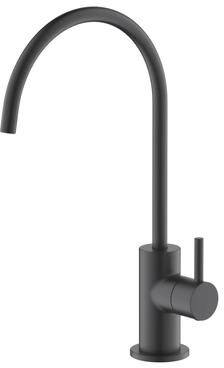
Kibi USA Circular Water Filtration FaucetDesign to connect to a range of concealed under-counter water filtration systems, including simple filtration systems, Reverse Osmosis, Alkaline Ionizer, Activated Carbon, and UV Filters (not included).72,49 $*Shipping: 0,00 $Secure redirect to the provider
-
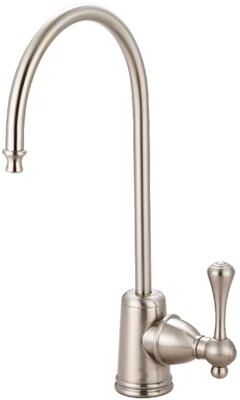
Kingston Vintage Water Filtration FaucetAllow this faucet to provide you with instant, crystal clear drinking water while reducing plastic waste. Ergonomically designed, it will enhance your kitchen's traditional theme while adding functionality.129,97 $*Shipping: 0,00 $Secure redirect to the provider


-
Why does WebUntis not display a timetable?
WebUntis may not display a timetable for several reasons. It could be due to technical issues such as server problems or maintenance being carried out on the platform. Another reason could be that the timetable has not been properly set up or inputted by the school or institution using WebUntis. Additionally, there may be a problem with the user's account or access permissions that are preventing the timetable from being displayed. **
-
Where do I see the homework in WebUntis?
To see your homework in WebUntis, you can typically find it under the "Homework" tab on the platform. This tab is usually located on the main dashboard or menu of WebUntis. Once you click on the "Homework" tab, you should be able to view all the assignments, tasks, and deadlines that have been assigned to you by your teachers. If you are having trouble locating the homework section, you can also reach out to your school's administration or IT department for assistance. **
-
How can you display the absences in WebUntis?
To display absences in WebUntis, you can go to the 'Absences' tab on the main menu. Here, you can see a list of all absences for a specific time period, including the reason for the absence and the affected classes or students. You can also filter the absences by various criteria such as class, teacher, or date to get a more specific view of the absences. Additionally, you can export the absence data to a file for further analysis or reporting purposes. **
-
How do I activate Dark Mode in WebUntis?
To activate Dark Mode in WebUntis, you can click on your profile icon in the top right corner of the screen. Then, select "Settings" from the dropdown menu. In the settings menu, you will find an option to enable Dark Mode. Simply toggle the switch to activate Dark Mode and the interface will change to a darker color scheme for easier viewing in low-light environments. **

How can one see the homework in WebUntis?
To see the homework in WebUntis, one can log in to their WebUntis account and navigate to the "Homework" section. This section typically displays a list of all the homework assignments that have been assigned by the teachers. Users can filter the homework by class, subject, or date to easily find the information they are looking for. Additionally, some schools may also provide access to the homework through the WebUntis mobile app, allowing students and parents to stay updated on assignments while on the go. **
How can I use WebUntis on Windows 10?
You can use WebUntis on Windows 10 by accessing the WebUntis website through a web browser such as Google Chrome, Mozilla Firefox, or Microsoft Edge. Simply open your preferred web browser, go to the WebUntis website, and log in with your credentials to access your timetable, make bookings, and manage your schedule. You can also create a shortcut to the WebUntis website on your desktop for easy access. Additionally, you can use the WebUntis app from the Microsoft Store to access the platform on your Windows 10 device. **
Top-Angebote
Products related to Webuntis:
-
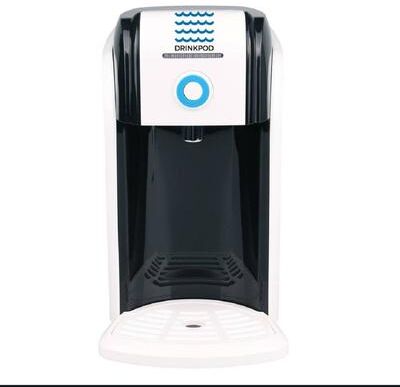
DRINKPOD Hydrate Mineral Spring Countertop Water Filtration Purification System, 4 Stage Water Filter, Water Dispenser**Upgrade Your Drinking Water with a Premium Tabletop Water Dispenser** Enhance your hydration experience with a high-quality tabletop water dispenser that provides refreshingly pure water at your fingertips.113,15 $*Shipping: 0,00 $Secure redirect to the provider
-
Kingston Vintage Water Filtration FaucetAllow this faucet to provide you with instant, crystal clear drinking water while reducing plastic waste. Ergonomically designed, it will enhance your kitchen's traditional theme while adding functionality.129,97 $*Shipping: 0,00 $Secure redirect to the provider
-
Kingston Continental Water Filtration FaucetAllow this faucet to provide you with instant, crystal clear drinking water while reducing plastic waste. Ergonomically designed, it will enhance your kitchen's modern theme while adding functionality.77,97 $*Shipping: 0,00 $Secure redirect to the provider
-
Uplifted Goods Electrolytic Hypochlorous Acid Water Maker For Home Disinfection greenTransform ordinary water and salt into a powerful cleaner with this hypochlorous acid generator. Using safe electrolysis technology, it creates an eco friendly disinfectant you can use throughout your home. Compact and easy to use, this sodium...34,97 $*Shipping: 0,00 $Secure redirect to the provider
-
How can WebUntis be embedded?
WebUntis can be embedded into a school's website by using an iframe code provided by WebUntis. This code can be inserted into the HTML of the website, allowing users to access the WebUntis platform directly from the school's site. This integration provides a seamless experience for students, teachers, and parents to access schedules, timetables, and other important information without having to navigate to a separate platform. Additionally, WebUntis offers customization options for embedding, allowing schools to tailor the appearance and functionality of the embedded platform to suit their needs. **
-
Do you use the timetable app WebUntis?
As an AI, I do not use the WebUntis timetable app. However, I am familiar with its features and functionalities. WebUntis is a popular app used by students and teachers to manage their schedules, assignments, and classes. It helps users stay organized and up-to-date with their daily activities. **
-
Why does WebUntis not display a timetable?
WebUntis may not display a timetable for several reasons. It could be due to technical issues such as server problems or maintenance being carried out on the platform. Another reason could be that the timetable has not been properly set up or inputted by the school or institution using WebUntis. Additionally, there may be a problem with the user's account or access permissions that are preventing the timetable from being displayed. **
-
Where do I see the homework in WebUntis?
To see your homework in WebUntis, you can typically find it under the "Homework" tab on the platform. This tab is usually located on the main dashboard or menu of WebUntis. Once you click on the "Homework" tab, you should be able to view all the assignments, tasks, and deadlines that have been assigned to you by your teachers. If you are having trouble locating the homework section, you can also reach out to your school's administration or IT department for assistance. **
Similar search terms for Webuntis
-
Kibi USA Circular Water Filtration FaucetDesign to connect to a range of concealed under-counter water filtration systems, including simple filtration systems, Reverse Osmosis, Alkaline Ionizer, Activated Carbon, and UV Filters (not included).72,49 $*Shipping: 0,00 $Secure redirect to the provider
-
Kingston Vintage Water Filtration FaucetAllow this faucet to provide you with instant, crystal clear drinking water while reducing plastic waste. Ergonomically designed, it will enhance your kitchen's traditional theme while adding functionality.129,97 $*Shipping: 0,00 $Secure redirect to the provider
-
Kingston Brass Victorian Water Filtration FaucetAllow this faucet to provide you with instant, crystal clear drinking water while reducing plastic waste. Ergonomically designed, it will enhance your kitchen's traditional theme while adding functionality.90,97 $*Shipping: 0,00 $Secure redirect to the provider
-
Kingston Brass Naples Water Filtration FaucetAllow this faucet to provide you with instant, crystal clear drinking water while reducing plastic waste. Ergonomically designed, it will enhance your kitchen's traditional theme while adding functionality.120,22 $*Shipping: 0,00 $Secure redirect to the provider
-
How can you display the absences in WebUntis?
To display absences in WebUntis, you can go to the 'Absences' tab on the main menu. Here, you can see a list of all absences for a specific time period, including the reason for the absence and the affected classes or students. You can also filter the absences by various criteria such as class, teacher, or date to get a more specific view of the absences. Additionally, you can export the absence data to a file for further analysis or reporting purposes. **
-
How do I activate Dark Mode in WebUntis?
To activate Dark Mode in WebUntis, you can click on your profile icon in the top right corner of the screen. Then, select "Settings" from the dropdown menu. In the settings menu, you will find an option to enable Dark Mode. Simply toggle the switch to activate Dark Mode and the interface will change to a darker color scheme for easier viewing in low-light environments. **
-
How can one see the homework in WebUntis?
To see the homework in WebUntis, one can log in to their WebUntis account and navigate to the "Homework" section. This section typically displays a list of all the homework assignments that have been assigned by the teachers. Users can filter the homework by class, subject, or date to easily find the information they are looking for. Additionally, some schools may also provide access to the homework through the WebUntis mobile app, allowing students and parents to stay updated on assignments while on the go. **
-
How can I use WebUntis on Windows 10?
You can use WebUntis on Windows 10 by accessing the WebUntis website through a web browser such as Google Chrome, Mozilla Firefox, or Microsoft Edge. Simply open your preferred web browser, go to the WebUntis website, and log in with your credentials to access your timetable, make bookings, and manage your schedule. You can also create a shortcut to the WebUntis website on your desktop for easy access. Additionally, you can use the WebUntis app from the Microsoft Store to access the platform on your Windows 10 device. **
* All prices are inclusive of VAT and, if applicable, plus shipping costs. The offer information is based on the details provided by the respective shop and is updated through automated processes. Real-time updates do not occur, so deviations can occur in individual cases. ** Note: Parts of this content were created by AI.