Buy wwtms.com ?
We are moving the project
wwtms.com .
Are you interested in purchasing the domain
wwtms.com ?
domain@kv-gmbh.de · 0541-91531010
Buy wwtms.com ?
Where is my taskbar?
Your taskbar is typically located at the bottom of your computer screen. It contains the Start button, open program windows, and system icons such as the clock and volume control. If you do not see your taskbar, it may be hidden or set to auto-hide. You can try moving your mouse cursor to the bottom of the screen to see if it appears, or adjust the settings in your computer's display preferences. **
What are taskbar apps?
Taskbar apps are applications or programs that are pinned to the taskbar in the Windows operating system. These apps provide quick access to frequently used programs, making it convenient for users to launch them without having to search through the Start menu. Taskbar apps can include a wide range of software, such as web browsers, productivity tools, messaging apps, and more. By pinning these apps to the taskbar, users can easily switch between them and access their features with just a single click. **

Similar search terms for Taskbar
Top-Angebote
Products related to Taskbar:
-
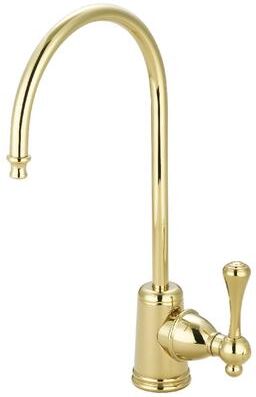
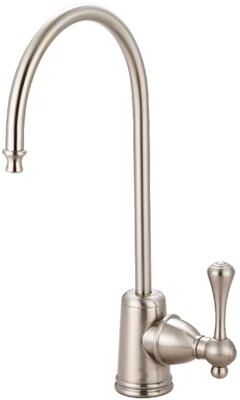
Kingston Vintage Water Filtration FaucetAllow this faucet to provide you with instant, crystal clear drinking water while reducing plastic waste. Ergonomically designed, it will enhance your kitchen's traditional theme while adding functionality.129,97 $*Shipping: 0,00 $Secure redirect to the provider
-
Uplifted Goods Electrolytic Hypochlorous Acid Water Maker For Home Disinfection greenTransform ordinary water and salt into a powerful cleaner with this hypochlorous acid generator. Using safe electrolysis technology, it creates an eco friendly disinfectant you can use throughout your home. Compact and easy to use, this sodium...34,97 $*Shipping: 0,00 $Secure redirect to the provider
-
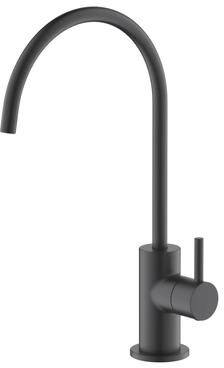
Kibi USA Circular Water Filtration FaucetDesign to connect to a range of concealed under-counter water filtration systems, including simple filtration systems, Reverse Osmosis, Alkaline Ionizer, Activated Carbon, and UV Filters (not included).72,49 $*Shipping: 0,00 $Secure redirect to the provider
-
Kingston Vintage Water Filtration FaucetAllow this faucet to provide you with instant, crystal clear drinking water while reducing plastic waste. Ergonomically designed, it will enhance your kitchen's traditional theme while adding functionality.129,97 $*Shipping: 0,00 $Secure redirect to the provider

-
Has the Firefox taskbar disappeared?
If the Firefox taskbar has disappeared, it may be due to a few reasons. First, check if the taskbar is hidden by right-clicking on the taskbar and selecting "Taskbar settings" to see if it is set to automatically hide. If it is not hidden, try restarting the Firefox browser or your computer to see if that resolves the issue. If the problem persists, you can try reinstalling Firefox or seeking help from the Firefox support community. **
-
How can you change the taskbar?
To change the taskbar in Windows, you can right-click on an empty space on the taskbar and select "Taskbar settings." From there, you can customize various options such as changing the taskbar location, size, color, and transparency. You can also choose which icons appear on the taskbar and adjust how they are displayed. Additionally, you can enable or disable features like task view, search, and Cortana on the taskbar. **
-
Why is the taskbar suddenly strange?
The taskbar may suddenly appear strange due to a variety of reasons such as a software glitch, a recent update causing compatibility issues, or changes made to the display settings. It could also be caused by a malware infection or accidental changes made by the user. To troubleshoot the issue, try restarting the computer, checking for updates, running a malware scan, and adjusting the display settings to see if the taskbar returns to normal. **
-
Why is the Minecraft taskbar annoying?
The Minecraft taskbar can be annoying because it takes up space on the screen and can sometimes block important information or elements of the game. It can also be distracting and disrupt the immersive experience of playing the game. Additionally, for some players, the taskbar may not be customizable enough to suit their preferences, leading to frustration. **

How can I remove the taskbar?
To remove the taskbar on a Windows computer, you can right-click on an empty area of the taskbar and select "Taskbar settings." Then, toggle off the "Lock the taskbar" option and then you can drag the taskbar to the bottom, left, or right side of the screen to hide it. Additionally, you can also right-click on the taskbar, go to "Toolbars," and uncheck any toolbars that are currently enabled to remove them from the taskbar. **
How can you shrink the taskbar?
To shrink the taskbar in Windows, you can right-click on an empty space on the taskbar and select "Taskbar settings." Then, toggle the "Use small taskbar buttons" option to shrink the taskbar icons. Additionally, you can also right-click on an empty space on the taskbar, hover over "Toolbars," and uncheck any unnecessary toolbars to free up space and make the taskbar appear smaller. **
Top-Angebote
Products related to Taskbar:
-
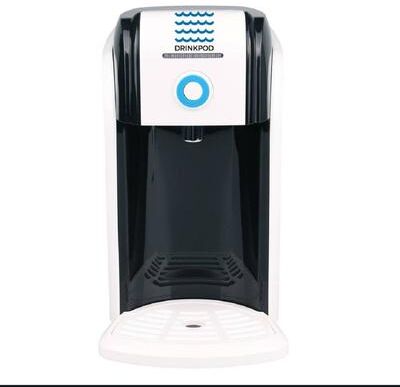
DRINKPOD Hydrate Mineral Spring Countertop Water Filtration Purification System, 4 Stage Water Filter, Water Dispenser**Upgrade Your Drinking Water with a Premium Tabletop Water Dispenser** Enhance your hydration experience with a high-quality tabletop water dispenser that provides refreshingly pure water at your fingertips.113,15 $*Shipping: 0,00 $Secure redirect to the provider
-
Kingston Continental Water Filtration FaucetAllow this faucet to provide you with instant, crystal clear drinking water while reducing plastic waste. Ergonomically designed, it will enhance your kitchen's modern theme while adding functionality.77,97 $*Shipping: 0,00 $Secure redirect to the provider
-
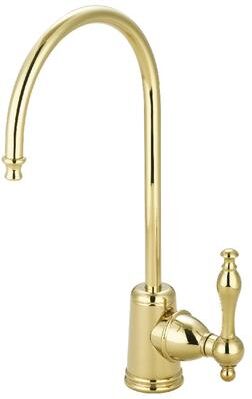
Kingston Vintage Water Filtration FaucetAllow this faucet to provide you with instant, crystal clear drinking water while reducing plastic waste. Ergonomically designed, it will enhance your kitchen's traditional theme while adding functionality.129,97 $*Shipping: 0,00 $Secure redirect to the provider
-
Uplifted Goods Electrolytic Hypochlorous Acid Water Maker For Home Disinfection greenTransform ordinary water and salt into a powerful cleaner with this hypochlorous acid generator. Using safe electrolysis technology, it creates an eco friendly disinfectant you can use throughout your home. Compact and easy to use, this sodium...34,97 $*Shipping: 0,00 $Secure redirect to the provider
-
Where is my taskbar?
Your taskbar is typically located at the bottom of your computer screen. It contains the Start button, open program windows, and system icons such as the clock and volume control. If you do not see your taskbar, it may be hidden or set to auto-hide. You can try moving your mouse cursor to the bottom of the screen to see if it appears, or adjust the settings in your computer's display preferences. **
-
What are taskbar apps?
Taskbar apps are applications or programs that are pinned to the taskbar in the Windows operating system. These apps provide quick access to frequently used programs, making it convenient for users to launch them without having to search through the Start menu. Taskbar apps can include a wide range of software, such as web browsers, productivity tools, messaging apps, and more. By pinning these apps to the taskbar, users can easily switch between them and access their features with just a single click. **
-
Has the Firefox taskbar disappeared?
If the Firefox taskbar has disappeared, it may be due to a few reasons. First, check if the taskbar is hidden by right-clicking on the taskbar and selecting "Taskbar settings" to see if it is set to automatically hide. If it is not hidden, try restarting the Firefox browser or your computer to see if that resolves the issue. If the problem persists, you can try reinstalling Firefox or seeking help from the Firefox support community. **
-
How can you change the taskbar?
To change the taskbar in Windows, you can right-click on an empty space on the taskbar and select "Taskbar settings." From there, you can customize various options such as changing the taskbar location, size, color, and transparency. You can also choose which icons appear on the taskbar and adjust how they are displayed. Additionally, you can enable or disable features like task view, search, and Cortana on the taskbar. **
Similar search terms for Taskbar
-
Kibi USA Circular Water Filtration FaucetDesign to connect to a range of concealed under-counter water filtration systems, including simple filtration systems, Reverse Osmosis, Alkaline Ionizer, Activated Carbon, and UV Filters (not included).72,49 $*Shipping: 0,00 $Secure redirect to the provider
-
Kingston Vintage Water Filtration FaucetAllow this faucet to provide you with instant, crystal clear drinking water while reducing plastic waste. Ergonomically designed, it will enhance your kitchen's traditional theme while adding functionality.129,97 $*Shipping: 0,00 $Secure redirect to the provider
-
Kingston Brass Victorian Water Filtration FaucetAllow this faucet to provide you with instant, crystal clear drinking water while reducing plastic waste. Ergonomically designed, it will enhance your kitchen's traditional theme while adding functionality.90,97 $*Shipping: 0,00 $Secure redirect to the provider
-
Kingston Brass Naples Water Filtration FaucetAllow this faucet to provide you with instant, crystal clear drinking water while reducing plastic waste. Ergonomically designed, it will enhance your kitchen's traditional theme while adding functionality.120,22 $*Shipping: 0,00 $Secure redirect to the provider
-
Why is the taskbar suddenly strange?
The taskbar may suddenly appear strange due to a variety of reasons such as a software glitch, a recent update causing compatibility issues, or changes made to the display settings. It could also be caused by a malware infection or accidental changes made by the user. To troubleshoot the issue, try restarting the computer, checking for updates, running a malware scan, and adjusting the display settings to see if the taskbar returns to normal. **
-
Why is the Minecraft taskbar annoying?
The Minecraft taskbar can be annoying because it takes up space on the screen and can sometimes block important information or elements of the game. It can also be distracting and disrupt the immersive experience of playing the game. Additionally, for some players, the taskbar may not be customizable enough to suit their preferences, leading to frustration. **
-
How can I remove the taskbar?
To remove the taskbar on a Windows computer, you can right-click on an empty area of the taskbar and select "Taskbar settings." Then, toggle off the "Lock the taskbar" option and then you can drag the taskbar to the bottom, left, or right side of the screen to hide it. Additionally, you can also right-click on the taskbar, go to "Toolbars," and uncheck any toolbars that are currently enabled to remove them from the taskbar. **
-
How can you shrink the taskbar?
To shrink the taskbar in Windows, you can right-click on an empty space on the taskbar and select "Taskbar settings." Then, toggle the "Use small taskbar buttons" option to shrink the taskbar icons. Additionally, you can also right-click on an empty space on the taskbar, hover over "Toolbars," and uncheck any unnecessary toolbars to free up space and make the taskbar appear smaller. **
* All prices are inclusive of VAT and, if applicable, plus shipping costs. The offer information is based on the details provided by the respective shop and is updated through automated processes. Real-time updates do not occur, so deviations can occur in individual cases. ** Note: Parts of this content were created by AI.