Buy wwtms.com ?
We are moving the project
wwtms.com .
Are you interested in purchasing the domain
wwtms.com ?
domain@kv-gmbh.de · 0541-91531010
Buy wwtms.com ?
Is the Xbox One Wireless Adapter for Windows by Microsoft compatible with the Xbox Series X controller?
Yes, the Xbox One Wireless Adapter for Windows by Microsoft is compatible with the Xbox Series X controller. This adapter allows you to connect the Xbox Series X controller to a Windows PC wirelessly, providing a seamless gaming experience. It is a convenient accessory for those who prefer using a controller for PC gaming. **
How do I connect the Xbox One S controller to the Switch using the Microsoft Wireless Adapter?
To connect the Xbox One S controller to the Switch using the Microsoft Wireless Adapter, you will need to first plug the adapter into the Switch dock. Then, press and hold the pairing button on the adapter until the light starts flashing. Next, press and hold the pairing button on the Xbox One S controller until the Xbox button starts flashing. The controller should then pair with the adapter and be ready to use with the Switch. **

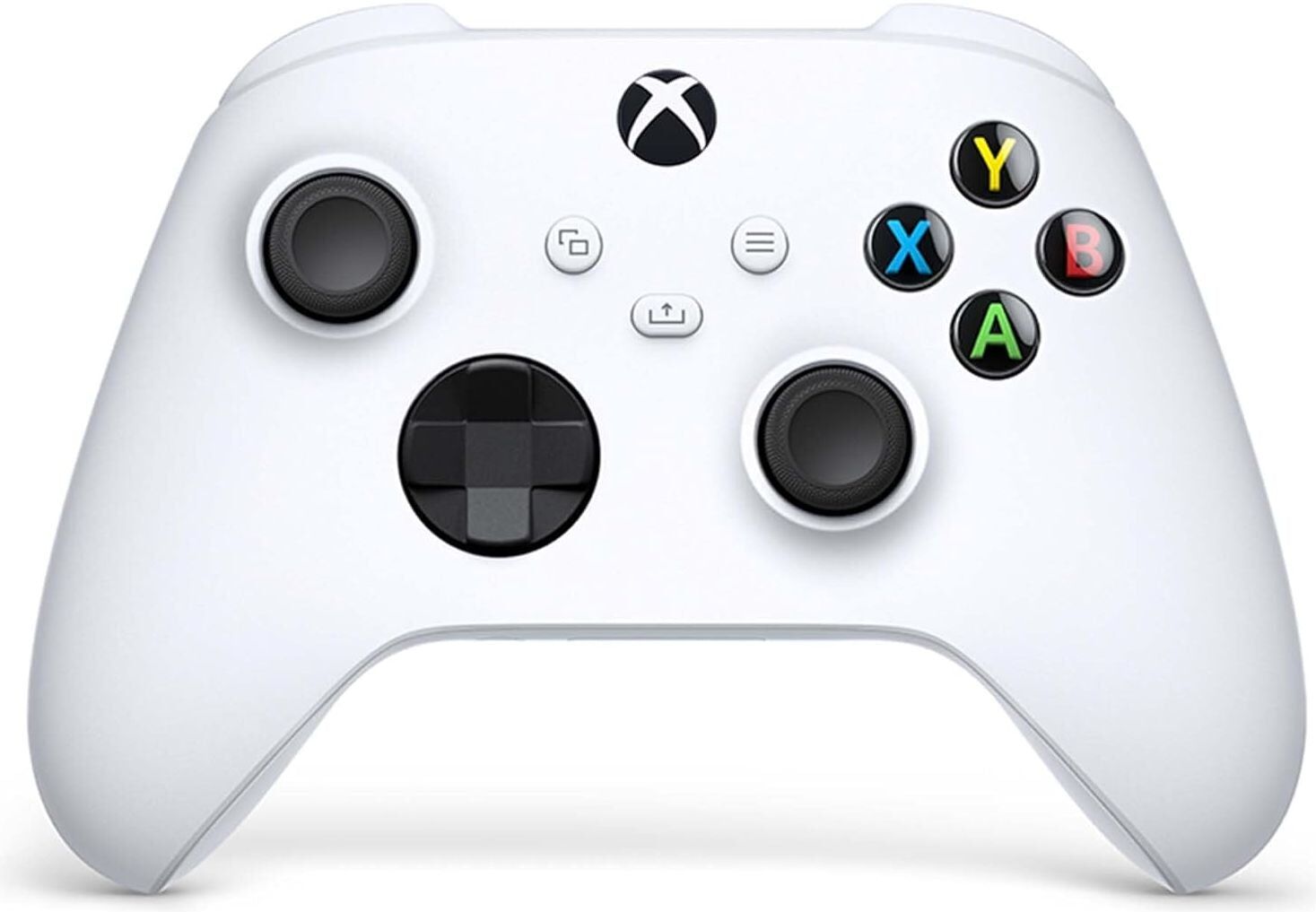
Similar search terms for Microsoft-Xbox-Wireless-Controller
Top-Angebote
Products related to Microsoft-Xbox-Wireless-Controller:
-
Microsoft Xbox Elite Wireless Controller Series 2, Used - Very Good✅ Microsoft Xbox Elite Wireless Controller Series 2 Take your gaming to the next level with the Xbox Elite Wireless Controller Series 2 – the ultimate controller designed for serious gamers who demand precision, customization, and performance. ✅ Designed for Performance Built with high-end materials and enhanced durability, the Elite Series 2 offers refined control and competitive edge across all your favorite titles. Whether you’re a casual gamer or an eSports contender, this controller adapts to your style of play. ✅ Customizable Controls Interchangeable thumbsticks and D-pads let you personalize your setup for speed, accuracy, or comfort. Includes adjustable-tension thumbsticks for more responsive aiming. Shorter hair trigger locks give you faster fire in competitive FPS games. ✅ Limitless Customization with the Xbox Accessories App Create up to 3 custom profiles and switch between them instantly. Remap buttons, fine-tune stick sensitivity, and configure trigger response to match your exact preferences. Save profiles directly to the controller for quick switching on the go. ✅ Built-In Rechargeable Battery Enjoy up to 40 hours of gameplay per charge. Recharge using the included USB-C cable or the convenient charging dock. ✅ Premium Build Quality Crafted for comfort and long sessions, the Elite Series 2 features: Wrap-around rubberized grip Stainless steel paddles and components Robust construction for high-intensity gaming ✅ Back Paddles for Pro-Level Control Gain an edge with four rear paddles, fully programmable for faster reaction times—perfect for competitive gaming and complex maneuvers. ✅ Cross-Platform Compatibility Play across multiple devices: Xbox Series X S Xbox One Windows 10/11 PCs Connect via: Wireless Bluetooth USB-C cable ✅ What’s in the Box: Xbox Elite Wireless Controller Series 2 Carrying case Set of 6 thumbsticks Set of 4 paddles 2 D-pads (standard & faceted) USB-C charging cable Charging dock ✅ Why Choose the Xbox Elite Series 2? With its pro-level features, exceptional comfort, and deep customization, the Elite Series 2 is more than just a controller—it’s a game-changer. Whether you're on Xbox or PC, this controller gives you the tools to dominate the competition.129,99 £*Shipping: 0,00 £Secure redirect to the provider
-
All Categories Goods Original Microsoft Xbox Controller, LOT Breakaway Trip, Cord Cable For Wired Original Microsoft Xbox Controller, LOT Breakaway Trip, Cord Cable For WiredReliable Replacement Cables for Your Xbox Controller Ensure uninterrupted gaming sessions with 2 pcs of LOT Breakaway Trip Cord Cable For Wired Original Microsoft Xbox Controller. These premium cables provide consistent connectivity, keeping your...39,97 $*Shipping: 0,00 $Secure redirect to the provider
-
Multicon Wholesale Hub Wired Original Microsoft Xbox Controller LOT Breakaway Trip Cord Cable, Durable Replacement Gaming Gear Wired Original Microsoft Xbox Controller LOT Breakaway Trip Cord Cable, Durable Replacement Gaming GearElevate your gaming experience with the 2pcs LOT Breakaway Trip Cord Cable For Wired Original Microsoft Xbox Controller. Designed for gamers who demand reliability and durability, this highquality replacement cable ensures uninterrupted gameplay and...55,97 $*Shipping: 0,00 $Secure redirect to the provider
-
Microsoft Xbox One S 500GB Console - Deep Blue (Different Colour Controller), Used - Very Good.gadcet-pdp{--g-green:#00a651;color:#1f2430;line-height:1.55;font-size:inherit;max-width:760px}.gadcet-pdp>*:first-child{margin-top:0}.gadcet-pdp p{margin:0 0.9em}.gadcet-pdp h3{font-size:1.05em;font-weight:600;color:#11161f;margin:1.4em 0.5em;padding-left:.5em;border-left:3px solid var(--g-green);border-radius:0;line-height:1.3}.gadcet-pdp ul{list-style:none!important;margin:0 0.9em;padding:0!important}.gadcet-pdp ul li{position:relative;padding:.1em 0.1em 1.5em;margin:0}.gadcet-pdp ul li::before{content:"";position:absolute;left:.16em;top:.45em;width:.36em;height:.66em;border:solid var(--g-green);border-width:0.14em.14em 0;transform:rotate(45deg)}.gadcet-pdp table{width:100%;border-collapse:collapse;margin:.3em 0 1em;font-size:.95em;border:1px solid #e7e9ee!important;border-radius:8px;overflow:hidden}.gadcet-pdp table td{padding:.5em.8em;border-bottom:1px solid #eef0f4!important;vertical-align:top}.gadcet-pdp table tr:last-child td{border-bottom:0!important}.gadcet-pdp table tr:nth-child(even){background:#f7f9f8}.gadcet-pdp table td:first-child{font-weight:600;color:#454c59;width:40%}@media (max-width:600px){.gadcet-pdp table td:first-child{width:42%}} Bring gaming and entertainment to your setup with the Microsoft Xbox One S 500GB Console in Deep Blue. Choose the condition that suits you, with a controller in a different colour from the console. Key Features Microsoft Xbox One S console 500GB HDD storage Deep Blue console finish Controller supplied in a different colour from the console Benefits Store games and other content on the 500GB HDD. Enjoy gaming and entertainment from one console. Select from New and used condition options to suit your preference. Specifications Model Xbox One S Storage 500GB HDD Colour Deep Blue Controller Different colour from the console What You'll Receive An Xbox One S 500GB Console and a controller in a different colour from the console. Choose from New, Used - Like New, Used - Very Good or Used - Good. Ideal For A suitable choice for gamers looking for an Xbox One S console with 500GB of storage, or for anyone adding a console to a home entertainment setup.179,00 £*Shipping: 0,00 £Secure redirect to the provider


-
What is included in the Xbox Wireless Controller package?
The Xbox Wireless Controller package typically includes the wireless controller itself, as well as two AA batteries for power. Some packages may also include a USB cable for charging the controller or connecting it to a console or PC. Additionally, some special edition or bundle packages may include extra accessories or customization options. Overall, the package is designed to provide everything needed to start using the controller right away. **
-
Why does the Xbox 360 Wireless Controller keep blinking?
The Xbox 360 Wireless Controller blinks when it is trying to establish a connection with the console. This can happen if the controller is not properly synced with the console, or if the batteries are low and need to be replaced. To fix the blinking issue, try re-syncing the controller with the console by pressing the sync button on both the controller and the console. If the batteries are low, replace them with fresh ones to see if the blinking stops. **
-
What are the problems with the Wireless Xbox Controller?
Some common problems with the Wireless Xbox Controller include connectivity issues, such as the controller not syncing with the console or disconnecting intermittently. Another issue is the controller's battery life, as it may not hold a charge for as long as expected. Additionally, some users have reported problems with the controller's buttons or analog sticks not functioning properly over time. These issues can be frustrating for gamers and may require troubleshooting or replacement of the controller. **
-
Do I need a wireless adapter for the Xbox controller?
No, you do not need a wireless adapter for the Xbox controller if you are using it with an Xbox console. The Xbox controller comes with a built-in wireless capability that allows it to connect directly to the console without the need for an additional adapter. However, if you are using the Xbox controller with a PC, you may need to purchase a separate wireless adapter to connect the controller to your computer. **


Can you order the Xbox controller directly from Microsoft?
Yes, you can order the Xbox controller directly from Microsoft through their official website. Microsoft offers a variety of Xbox controllers for purchase, including standard controllers, special edition controllers, and customizable controllers. Ordering directly from Microsoft ensures that you are getting an authentic product and access to any warranty or customer support services they offer. **
Were the drivers for the Xbox 360 Wireless Controller not installed?
It is possible that the drivers for the Xbox 360 Wireless Controller were not installed if the controller is not being recognized by the computer or gaming console. To resolve this issue, you can try reinstalling the drivers for the controller. You can typically find the necessary drivers on the official Xbox website or by using the device manager on your computer to search for and install the drivers automatically. **
Top-Angebote
Products related to Microsoft-Xbox-Wireless-Controller:
-
Microsoft Xbox Wireless Controller Electric VoltEnhance your gaming experience with the Xbox Wireless Controller in Electric Volt. Designed for Xbox consoles, PC and compatible mobile devices, this modern wireless controller combines a comfortable ergonomic design with responsive controls for accurate and immersive gameplay. The textured grips on the triggers, bumpers and rear case provide a secure hold, while the hybrid D-pad delivers precise directional control. The responsive analogue sticks and tactile buttons make the controller suitable for a wide range of games, from fast-paced action to racing and adventure titles. Built-in Xbox Wireless and Bluetooth connectivity allow you to connect wirelessly to compatible Xbox consoles, Windows PCs, Android devices and other supported platforms. You can also connect a compatible headset directly through the integrated 3.5mm stereo headset jack. The dedicated Share button makes it easy to capture and share screenshots and game clips, while the Xbox Accessories app allows supported button mapping and customisation. The controller can switch between compatible devices for convenient multi-platform gaming. Powered by two AA batteries, the Xbox Wireless Controller provides up to 40 hours of battery life depending on usage. USB-C connectivity provides a convenient wired connection for compatible devices and accessories.69,49 £*Shipping: 0,00 £Secure redirect to the provider
-
Microsoft Xbox Series X S Wireless Controller – Robot WhiteOverview The Microsoft Xbox Series X S Wireless Controller in Robot White delivers enhanced comfort, precision, and control for modern gaming. Designed for Xbox Series X and Series S consoles, Xbox One, and Windows 10/11 PCs, it combines a sleek finish with advanced hardware features, offering responsive gameplay and seamless cross-platform compatibility. Key Features Stylish Robot White design for a modern, clean gaming aesthetic Fully compatible with Xbox Series X S, Xbox One, and Windows 10/11 Wireless connectivity via Xbox Wireless and Bluetooth Enhanced ergonomic shape with textured grips for superior comfort Hybrid D-pad for smoother, more accurate directional input Refined analog sticks for improved precision and control Customisable button mapping via the Xbox Accessories app Dedicated Share button for instant capture of screenshots and gameplay clips Durable, high-quality construction built for long-term performance 3.5mm stereo headset jack for easy audio integration Supports USB-C wired connection and quick pairing across multiple devices Benefits This controller elevates gameplay with refined ergonomics and improved tactile feedback, making long sessions more comfortable and precise. The hybrid D-pad and responsive triggers enhance accuracy across all game genres, while the Share button enables instant content capture for social and streaming use. Its cross-platform compatibility gives players the flexibility to switch between console and PC without changing controllers. With its durable build and advanced connectivity, the Xbox Robot White controller offers a premium experience for casual players and competitive gamers alike. Specifications Specification Details Model Microsoft Xbox Series X Colour Robot White Connectivity Xbox Wireless, Bluetooth, USB-C Compatibility Xbox Series X Power AA batteries or rechargeable battery pack (optional) Input Features Hybrid D-pad, textured triggers, bumpers and grips Audio 3.5mm stereo headset jack Dimensions Approx. 153 × 103 × 61 mm Weight Approx. 287 g (without batteries) Designed for Xbox gamers seeking a reliable and comfortable controller upgrade, PC players who want a high-precision gamepad, content creators who regularly capture gameplay moments, and anyone who prefers a sleek, stylish controller with cross-platform flexibility. Perfect for FPS games, racing titles, sports games, and competitive online play thanks to its enhanced ergonomics and precision controls.69,00 £*Shipping: 0,00 £Secure redirect to the provider
-
Microsoft Xbox Elite Wireless Controller Series 2, Used - Very Good✅ Microsoft Xbox Elite Wireless Controller Series 2 Take your gaming to the next level with the Xbox Elite Wireless Controller Series 2 – the ultimate controller designed for serious gamers who demand precision, customization, and performance. ✅ Designed for Performance Built with high-end materials and enhanced durability, the Elite Series 2 offers refined control and competitive edge across all your favorite titles. Whether you’re a casual gamer or an eSports contender, this controller adapts to your style of play. ✅ Customizable Controls Interchangeable thumbsticks and D-pads let you personalize your setup for speed, accuracy, or comfort. Includes adjustable-tension thumbsticks for more responsive aiming. Shorter hair trigger locks give you faster fire in competitive FPS games. ✅ Limitless Customization with the Xbox Accessories App Create up to 3 custom profiles and switch between them instantly. Remap buttons, fine-tune stick sensitivity, and configure trigger response to match your exact preferences. Save profiles directly to the controller for quick switching on the go. ✅ Built-In Rechargeable Battery Enjoy up to 40 hours of gameplay per charge. Recharge using the included USB-C cable or the convenient charging dock. ✅ Premium Build Quality Crafted for comfort and long sessions, the Elite Series 2 features: Wrap-around rubberized grip Stainless steel paddles and components Robust construction for high-intensity gaming ✅ Back Paddles for Pro-Level Control Gain an edge with four rear paddles, fully programmable for faster reaction times—perfect for competitive gaming and complex maneuvers. ✅ Cross-Platform Compatibility Play across multiple devices: Xbox Series X S Xbox One Windows 10/11 PCs Connect via: Wireless Bluetooth USB-C cable ✅ What’s in the Box: Xbox Elite Wireless Controller Series 2 Carrying case Set of 6 thumbsticks Set of 4 paddles 2 D-pads (standard & faceted) USB-C charging cable Charging dock ✅ Why Choose the Xbox Elite Series 2? With its pro-level features, exceptional comfort, and deep customization, the Elite Series 2 is more than just a controller—it’s a game-changer. Whether you're on Xbox or PC, this controller gives you the tools to dominate the competition.129,99 £*Shipping: 0,00 £Secure redirect to the provider
-
All Categories Goods Original Microsoft Xbox Controller, LOT Breakaway Trip, Cord Cable For Wired Original Microsoft Xbox Controller, LOT Breakaway Trip, Cord Cable For WiredReliable Replacement Cables for Your Xbox Controller Ensure uninterrupted gaming sessions with 2 pcs of LOT Breakaway Trip Cord Cable For Wired Original Microsoft Xbox Controller. These premium cables provide consistent connectivity, keeping your...39,97 $*Shipping: 0,00 $Secure redirect to the provider
-
Is the Xbox One Wireless Adapter for Windows by Microsoft compatible with the Xbox Series X controller?
Yes, the Xbox One Wireless Adapter for Windows by Microsoft is compatible with the Xbox Series X controller. This adapter allows you to connect the Xbox Series X controller to a Windows PC wirelessly, providing a seamless gaming experience. It is a convenient accessory for those who prefer using a controller for PC gaming. **
-
How do I connect the Xbox One S controller to the Switch using the Microsoft Wireless Adapter?
To connect the Xbox One S controller to the Switch using the Microsoft Wireless Adapter, you will need to first plug the adapter into the Switch dock. Then, press and hold the pairing button on the adapter until the light starts flashing. Next, press and hold the pairing button on the Xbox One S controller until the Xbox button starts flashing. The controller should then pair with the adapter and be ready to use with the Switch. **
-
What is included in the Xbox Wireless Controller package?
The Xbox Wireless Controller package typically includes the wireless controller itself, as well as two AA batteries for power. Some packages may also include a USB cable for charging the controller or connecting it to a console or PC. Additionally, some special edition or bundle packages may include extra accessories or customization options. Overall, the package is designed to provide everything needed to start using the controller right away. **
-
Why does the Xbox 360 Wireless Controller keep blinking?
The Xbox 360 Wireless Controller blinks when it is trying to establish a connection with the console. This can happen if the controller is not properly synced with the console, or if the batteries are low and need to be replaced. To fix the blinking issue, try re-syncing the controller with the console by pressing the sync button on both the controller and the console. If the batteries are low, replace them with fresh ones to see if the blinking stops. **
Similar search terms for Microsoft-Xbox-Wireless-Controller
-
Multicon Wholesale Hub Wired Original Microsoft Xbox Controller LOT Breakaway Trip Cord Cable, Durable Replacement Gaming Gear Wired Original Microsoft Xbox Controller LOT Breakaway Trip Cord Cable, Durable Replacement Gaming GearElevate your gaming experience with the 2pcs LOT Breakaway Trip Cord Cable For Wired Original Microsoft Xbox Controller. Designed for gamers who demand reliability and durability, this highquality replacement cable ensures uninterrupted gameplay and...55,97 $*Shipping: 0,00 $Secure redirect to the provider
-
Microsoft Xbox One S 500GB Console - Deep Blue (Different Colour Controller), Used - Very Good.gadcet-pdp{--g-green:#00a651;color:#1f2430;line-height:1.55;font-size:inherit;max-width:760px}.gadcet-pdp>*:first-child{margin-top:0}.gadcet-pdp p{margin:0 0.9em}.gadcet-pdp h3{font-size:1.05em;font-weight:600;color:#11161f;margin:1.4em 0.5em;padding-left:.5em;border-left:3px solid var(--g-green);border-radius:0;line-height:1.3}.gadcet-pdp ul{list-style:none!important;margin:0 0.9em;padding:0!important}.gadcet-pdp ul li{position:relative;padding:.1em 0.1em 1.5em;margin:0}.gadcet-pdp ul li::before{content:"";position:absolute;left:.16em;top:.45em;width:.36em;height:.66em;border:solid var(--g-green);border-width:0.14em.14em 0;transform:rotate(45deg)}.gadcet-pdp table{width:100%;border-collapse:collapse;margin:.3em 0 1em;font-size:.95em;border:1px solid #e7e9ee!important;border-radius:8px;overflow:hidden}.gadcet-pdp table td{padding:.5em.8em;border-bottom:1px solid #eef0f4!important;vertical-align:top}.gadcet-pdp table tr:last-child td{border-bottom:0!important}.gadcet-pdp table tr:nth-child(even){background:#f7f9f8}.gadcet-pdp table td:first-child{font-weight:600;color:#454c59;width:40%}@media (max-width:600px){.gadcet-pdp table td:first-child{width:42%}} Bring gaming and entertainment to your setup with the Microsoft Xbox One S 500GB Console in Deep Blue. Choose the condition that suits you, with a controller in a different colour from the console. Key Features Microsoft Xbox One S console 500GB HDD storage Deep Blue console finish Controller supplied in a different colour from the console Benefits Store games and other content on the 500GB HDD. Enjoy gaming and entertainment from one console. Select from New and used condition options to suit your preference. Specifications Model Xbox One S Storage 500GB HDD Colour Deep Blue Controller Different colour from the console What You'll Receive An Xbox One S 500GB Console and a controller in a different colour from the console. Choose from New, Used - Like New, Used - Very Good or Used - Good. Ideal For A suitable choice for gamers looking for an Xbox One S console with 500GB of storage, or for anyone adding a console to a home entertainment setup.179,00 £*Shipping: 0,00 £Secure redirect to the provider
-
Xbox Series Wireless Controller – Carbon Black, Used - GoodExperience the modernised design of the Xbox Wireless Controller, featuring Sculpted surfaces and refined geometry for enhanced comfort during gameplay play wirelessly or use the included 9ft USB-C cable for a wired gaming experience stay on target with a hybrid D-pad and textured grip on the triggers, bumpers, and back case use the Xbox Accessories App to Remap buttons and create custom controller profiles for your favourite games plug in any supported headset with the 3.5mm audio jack. Experience the modernised design of the Xbox Wireless Controller, featuring sculpted surfaces and refined geometry for enhanced comfort during gameplay. Play wirelessly or use the included 9ft USB-C cable for a wired gaming experience. Stay on target with a hybrid d-pad and textured grip on the triggers, bumpers, and back case. Use the Xbox Accessories App to remap buttons and create custom controller profiles for your favourite games. Quickly pair and Switch between supported consoles, PCs, and mobile phones or tablets. Plug in any supported headset with the 3.5mm audio jack.* * controller features a USB-C port. Compatible with select devices and operating system versions. Some functionality not supported via Bluetooth. Go to Xbox.Com/controller-compatibility for more information. Button mapping available via Xbox Accessories App for Xbox series x, Xbox One, and Windows 10.47,00 £*Shipping: 0,00 £Secure redirect to the provider
-
Uplift Picks Xbox 360 Wireless Controller Battery Case Cover 10 PcsBring your Xbox 360 controller back to comfortable, reliable play with a simple replacement part. This Xbox 360 battery case is designed to fit compatible wireless controllers, helping hold the battery pack area securely in place. It is a practical...57,98 $*Shipping: 0,00 $Secure redirect to the provider
-
What are the problems with the Wireless Xbox Controller?
Some common problems with the Wireless Xbox Controller include connectivity issues, such as the controller not syncing with the console or disconnecting intermittently. Another issue is the controller's battery life, as it may not hold a charge for as long as expected. Additionally, some users have reported problems with the controller's buttons or analog sticks not functioning properly over time. These issues can be frustrating for gamers and may require troubleshooting or replacement of the controller. **
-
Do I need a wireless adapter for the Xbox controller?
No, you do not need a wireless adapter for the Xbox controller if you are using it with an Xbox console. The Xbox controller comes with a built-in wireless capability that allows it to connect directly to the console without the need for an additional adapter. However, if you are using the Xbox controller with a PC, you may need to purchase a separate wireless adapter to connect the controller to your computer. **
-
Can you order the Xbox controller directly from Microsoft?
Yes, you can order the Xbox controller directly from Microsoft through their official website. Microsoft offers a variety of Xbox controllers for purchase, including standard controllers, special edition controllers, and customizable controllers. Ordering directly from Microsoft ensures that you are getting an authentic product and access to any warranty or customer support services they offer. **
-
Were the drivers for the Xbox 360 Wireless Controller not installed?
It is possible that the drivers for the Xbox 360 Wireless Controller were not installed if the controller is not being recognized by the computer or gaming console. To resolve this issue, you can try reinstalling the drivers for the controller. You can typically find the necessary drivers on the official Xbox website or by using the device manager on your computer to search for and install the drivers automatically. **
* All prices are inclusive of VAT and, if applicable, plus shipping costs. The offer information is based on the details provided by the respective shop and is updated through automated processes. Real-time updates do not occur, so deviations can occur in individual cases. ** Note: Parts of this content were created by AI.