Buy wwtms.com ?
We are moving the project
wwtms.com .
Are you interested in purchasing the domain
wwtms.com ?
domain@kv-gmbh.de · 0541-91531010
Buy wwtms.com ?
What is the ideal distance between keyframes?
The ideal distance between keyframes in animation typically depends on the specific movement being animated. For fast movements or actions, keyframes may be placed closer together to capture more detail and fluidity. On the other hand, for slower movements or more subtle animations, keyframes can be spaced further apart to create a smoother transition between poses. It is important to find a balance between having enough keyframes to accurately convey the movement while also avoiding unnecessary clutter in the timeline. **
Can't you move the After Effects keyframes?
Yes, you can move After Effects keyframes by selecting them and then dragging them to a new position on the timeline. You can also use keyboard shortcuts to move keyframes, such as holding down the Option key (Mac) or Alt key (Windows) while dragging the keyframes to duplicate them. Additionally, you can use the graph editor to adjust the timing and value of keyframes for more precise control over the animation. **

Similar search terms for Keyframes
Top-Angebote
Products related to Keyframes:
-
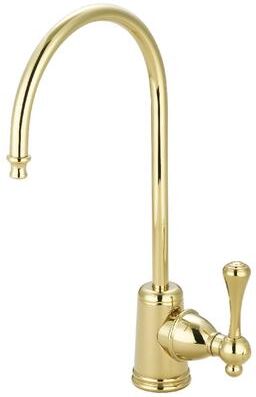
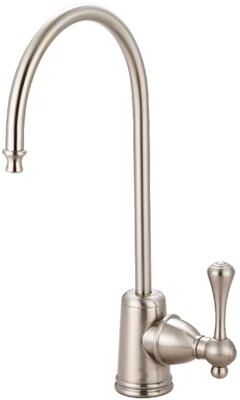
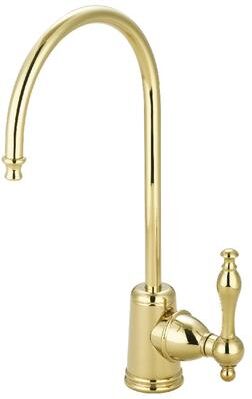
Kingston Vintage Water Filtration FaucetAllow this faucet to provide you with instant, crystal clear drinking water while reducing plastic waste. Ergonomically designed, it will enhance your kitchen's traditional theme while adding functionality.129,97 $*Shipping: 0,00 $Secure redirect to the provider
-
Uplifted Goods Electrolytic Hypochlorous Acid Water Maker For Home Disinfection greenTransform ordinary water and salt into a powerful cleaner with this hypochlorous acid generator. Using safe electrolysis technology, it creates an eco friendly disinfectant you can use throughout your home. Compact and easy to use, this sodium...34,97 $*Shipping: 0,00 $Secure redirect to the provider
-
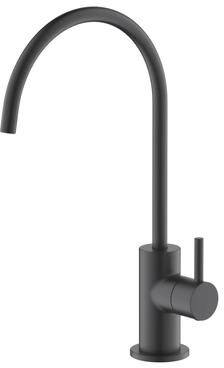
Kibi USA Circular Water Filtration FaucetDesign to connect to a range of concealed under-counter water filtration systems, including simple filtration systems, Reverse Osmosis, Alkaline Ionizer, Activated Carbon, and UV Filters (not included).72,49 $*Shipping: 0,00 $Secure redirect to the provider
-
Kingston Vintage Water Filtration FaucetAllow this faucet to provide you with instant, crystal clear drinking water while reducing plastic waste. Ergonomically designed, it will enhance your kitchen's traditional theme while adding functionality.129,97 $*Shipping: 0,00 $Secure redirect to the provider

-
How do I delete keyframes in Blender?
To delete keyframes in Blender, first select the object or property that has the keyframes you want to delete. Then, go to the timeline or dope sheet editor and locate the keyframes you want to remove. Once you have selected the keyframes, press the "X" key and choose "Delete Keyframes" from the menu that appears. This will remove the selected keyframes from the animation. **
-
Is there no layout effect in keyframes in VideoStar?
In VideoStar, keyframes do have a layout effect. Keyframes allow users to set specific parameters for effects or transitions at different points in a video, including layout adjustments such as position, scale, and rotation. By setting keyframes, users can create dynamic and visually engaging video edits with layout effects that change over time. **
-
How do I create random numbers in CSS Keyframes?
In CSS Keyframes, you can create random numbers by using the `calc()` function along with the `Math.random()` method. For example, you can use `calc(Math.random() * 100)` to generate a random number between 0 and 100. You can then use this random number within your keyframes to create dynamic and unpredictable animations. Keep in mind that the `Math.random()` method generates a random decimal number between 0 and 1, so you may need to adjust the range and format of the random number as per your specific requirements. **
-
What is the bug with keyframes in Blender animations?
The bug with keyframes in Blender animations is that sometimes keyframes can become corrupted or lost, leading to unexpected behavior in the animation. This can result in sudden jumps or glitches in the animation, making it difficult to create smooth and consistent movement. Additionally, the interpolation between keyframes may not work as intended, causing the animation to appear jerky or unnatural. This bug can be frustrating for animators and may require manual adjustments to fix the issues. **

Can keyframes be applied to adjustment layers in Premiere Pro?
Yes, keyframes can be applied to adjustment layers in Premiere Pro. Adjustment layers allow you to apply effects and adjustments to multiple clips at once, and keyframes can be used to animate these adjustments over time. By adding keyframes to the adjustment layer, you can create dynamic changes in color, exposure, or other visual effects across your entire sequence. This can be a powerful tool for creating smooth and professional-looking edits in your video projects. **
How can one convert audio into keyframes in HitFilm Express?
In HitFilm Express, you can convert audio into keyframes by using the Audio Waveform effect. First, add the Audio Waveform effect to the audio track you want to convert. Then, adjust the settings of the Audio Waveform effect to customize the appearance of the keyframes. Once the effect is applied, keyframes will be automatically generated based on the audio levels. You can then use these keyframes to drive visual effects or animations in your project. **
Top-Angebote
Products related to Keyframes:
-
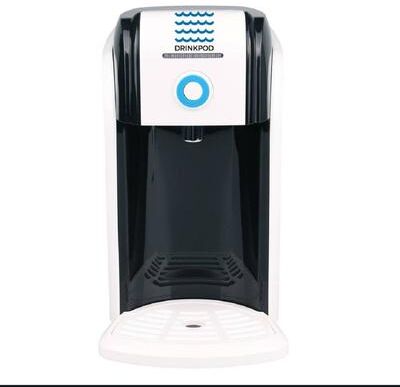
DRINKPOD Hydrate Mineral Spring Countertop Water Filtration Purification System, 4 Stage Water Filter, Water Dispenser**Upgrade Your Drinking Water with a Premium Tabletop Water Dispenser** Enhance your hydration experience with a high-quality tabletop water dispenser that provides refreshingly pure water at your fingertips.113,15 $*Shipping: 0,00 $Secure redirect to the provider
-
Kingston Continental Water Filtration FaucetAllow this faucet to provide you with instant, crystal clear drinking water while reducing plastic waste. Ergonomically designed, it will enhance your kitchen's modern theme while adding functionality.77,97 $*Shipping: 0,00 $Secure redirect to the provider
-
Kingston Vintage Water Filtration FaucetAllow this faucet to provide you with instant, crystal clear drinking water while reducing plastic waste. Ergonomically designed, it will enhance your kitchen's traditional theme while adding functionality.129,97 $*Shipping: 0,00 $Secure redirect to the provider
-
Uplifted Goods Electrolytic Hypochlorous Acid Water Maker For Home Disinfection greenTransform ordinary water and salt into a powerful cleaner with this hypochlorous acid generator. Using safe electrolysis technology, it creates an eco friendly disinfectant you can use throughout your home. Compact and easy to use, this sodium...34,97 $*Shipping: 0,00 $Secure redirect to the provider
-
What is the ideal distance between keyframes?
The ideal distance between keyframes in animation typically depends on the specific movement being animated. For fast movements or actions, keyframes may be placed closer together to capture more detail and fluidity. On the other hand, for slower movements or more subtle animations, keyframes can be spaced further apart to create a smoother transition between poses. It is important to find a balance between having enough keyframes to accurately convey the movement while also avoiding unnecessary clutter in the timeline. **
-
Can't you move the After Effects keyframes?
Yes, you can move After Effects keyframes by selecting them and then dragging them to a new position on the timeline. You can also use keyboard shortcuts to move keyframes, such as holding down the Option key (Mac) or Alt key (Windows) while dragging the keyframes to duplicate them. Additionally, you can use the graph editor to adjust the timing and value of keyframes for more precise control over the animation. **
-
How do I delete keyframes in Blender?
To delete keyframes in Blender, first select the object or property that has the keyframes you want to delete. Then, go to the timeline or dope sheet editor and locate the keyframes you want to remove. Once you have selected the keyframes, press the "X" key and choose "Delete Keyframes" from the menu that appears. This will remove the selected keyframes from the animation. **
-
Is there no layout effect in keyframes in VideoStar?
In VideoStar, keyframes do have a layout effect. Keyframes allow users to set specific parameters for effects or transitions at different points in a video, including layout adjustments such as position, scale, and rotation. By setting keyframes, users can create dynamic and visually engaging video edits with layout effects that change over time. **
Similar search terms for Keyframes
-
Kibi USA Circular Water Filtration FaucetDesign to connect to a range of concealed under-counter water filtration systems, including simple filtration systems, Reverse Osmosis, Alkaline Ionizer, Activated Carbon, and UV Filters (not included).72,49 $*Shipping: 0,00 $Secure redirect to the provider
-
Kingston Vintage Water Filtration FaucetAllow this faucet to provide you with instant, crystal clear drinking water while reducing plastic waste. Ergonomically designed, it will enhance your kitchen's traditional theme while adding functionality.129,97 $*Shipping: 0,00 $Secure redirect to the provider
-
Kingston Brass Victorian Water Filtration FaucetAllow this faucet to provide you with instant, crystal clear drinking water while reducing plastic waste. Ergonomically designed, it will enhance your kitchen's traditional theme while adding functionality.90,97 $*Shipping: 0,00 $Secure redirect to the provider
-
Kingston Brass Naples Water Filtration FaucetAllow this faucet to provide you with instant, crystal clear drinking water while reducing plastic waste. Ergonomically designed, it will enhance your kitchen's traditional theme while adding functionality.120,22 $*Shipping: 0,00 $Secure redirect to the provider
-
How do I create random numbers in CSS Keyframes?
In CSS Keyframes, you can create random numbers by using the `calc()` function along with the `Math.random()` method. For example, you can use `calc(Math.random() * 100)` to generate a random number between 0 and 100. You can then use this random number within your keyframes to create dynamic and unpredictable animations. Keep in mind that the `Math.random()` method generates a random decimal number between 0 and 1, so you may need to adjust the range and format of the random number as per your specific requirements. **
-
What is the bug with keyframes in Blender animations?
The bug with keyframes in Blender animations is that sometimes keyframes can become corrupted or lost, leading to unexpected behavior in the animation. This can result in sudden jumps or glitches in the animation, making it difficult to create smooth and consistent movement. Additionally, the interpolation between keyframes may not work as intended, causing the animation to appear jerky or unnatural. This bug can be frustrating for animators and may require manual adjustments to fix the issues. **
-
Can keyframes be applied to adjustment layers in Premiere Pro?
Yes, keyframes can be applied to adjustment layers in Premiere Pro. Adjustment layers allow you to apply effects and adjustments to multiple clips at once, and keyframes can be used to animate these adjustments over time. By adding keyframes to the adjustment layer, you can create dynamic changes in color, exposure, or other visual effects across your entire sequence. This can be a powerful tool for creating smooth and professional-looking edits in your video projects. **
-
How can one convert audio into keyframes in HitFilm Express?
In HitFilm Express, you can convert audio into keyframes by using the Audio Waveform effect. First, add the Audio Waveform effect to the audio track you want to convert. Then, adjust the settings of the Audio Waveform effect to customize the appearance of the keyframes. Once the effect is applied, keyframes will be automatically generated based on the audio levels. You can then use these keyframes to drive visual effects or animations in your project. **
* All prices are inclusive of VAT and, if applicable, plus shipping costs. The offer information is based on the details provided by the respective shop and is updated through automated processes. Real-time updates do not occur, so deviations can occur in individual cases. ** Note: Parts of this content were created by AI.