Buy wwtms.com ?
We are moving the project
wwtms.com .
Are you interested in purchasing the domain
wwtms.com ?
domain@kv-gmbh.de · 0541-91531010
Buy wwtms.com ?
Has water spilled into the keyboard?
I'm sorry, I cannot physically check if water has spilled into the keyboard. However, if water has spilled into the keyboard, it is important to immediately disconnect the keyboard from the power source and turn it upside down to let the water drain out. It is also recommended to let the keyboard dry completely before attempting to use it again to avoid damage. If the water spill is significant, it may be necessary to seek professional help to clean and repair the keyboard. **
Is water dangerous on the keyboard?
Yes, water is dangerous on the keyboard as it can cause damage to the electronic components and lead to malfunctioning. When water comes into contact with the keyboard, it can short-circuit the circuits and cause the keys to stop working. It is important to keep liquids away from the keyboard to prevent any potential damage. If water does spill on the keyboard, it should be immediately turned off and unplugged, and then thoroughly dried to prevent any lasting damage. **

Similar search terms for Keyboard
Top-Angebote
Products related to Keyboard:
-
Logitech Wireless Touch Keyboard K400 Wireless Keyboard With Touchpad - BlackDescription The Logitech Wireless Touch Keyboard K400 combines a keyboard with a built-in multi-touch touchpad for convenient control from a distance. It is designed for people who want to control a laptop connected to a TV, including while browsing the web from the couch. Quiet keys with bold, easy-to-read characters support comfortable typing, while the large 3.5-inch touchpad provides multi-touch navigation for easier web browsing. The wireless connection offers a range of up to 10 metres, or 33 feet, and uses a tiny Logitech Unifying wireless receiver that plugs into a laptop's USB port. The keyboard works with Windows XP, Windows Vista, Windows 7 and Windows 8, as well as Windows 8 RT. An essential addition for home entertainment setups, TV-connected laptops and convenient wireless web browsing.74,99 £*Shipping: 0,00 £Secure redirect to the provider
-
HP USB SmartCard Keyboard – UK Layout (QWERTY) – Wired Security KeyboardOverview The HP USB SmartCard Keyboard combines comfortable typing with advanced smart card security, making it the ideal solution for professional, government, and enterprise users. Designed in a UK QWERTY layout, this full-sized wired keyboard offers seamless integration with HP and third-party systems that require two-factor authentication, identity protection, or secure logins—ensuring your data stays safe without compromising on productivity. Key Features Integrated Smart Card Reader – Supports secure logins, access control, and authentication UK QWERTY Layout – Full-size keyboard with number pad for efficient data entry USB Wired Connection – Reliable, plug-and-play connectivity without the need for drivers Government-Grade Security – Ideal for agencies and enterprises requiring CAC, PIV, or other smart card access Ergonomic Design – Quiet keys with a low-profile layout for comfortable long-term use Compatible with Windows & SmartCard Middleware – Works with most enterprise security applications HP Business-Class Reliability – Built with quality materials for heavy-duty office use Long USB Cable – Flexible placement for desktop setups Benefits The HP USB SmartCard Keyboard enables users to implement secure two-factor authentication through the integrated card reader—helping reduce fraud, enforce access control, and meet compliance standards. Ideal for businesses handling sensitive data, healthcare professionals, IT administrators, and financial services, this keyboard protects both login credentials and transmitted data, while maintaining a comfortable and professional typing experience. Specifications Specification Details Model HP USB SmartCard Keyboard Layout UK QWERTY Interface USB-A (Wired) Smart Card Compatibility ISO 7816, CAC, PIV, Java Card, and more Cable Length Approx. 1.8 metres Keys Full-size, low-profile membrane keys OS Compatibility Windows 10/11, Windows Server, ThinPro, Linux Security Protocols Two-factor authentication, secure sign-in Dimensions Approx. 460 x 165 x 30 mm Weight Approx. 900g Colour Black27,94 £*Shipping: 0,00 £Secure redirect to the provider
-
Kensington - Wired Keyboard - BlackBrand Kensington Product Dimensions 18.9 x 6.89 x 1.85 cm; 199.58 Grams Item model number 1500109BFR Manufacturer ACCO Brands Series 1500109PN Colour Black Form Factor Standard Power Source USB Operating System Windows 8, Windows 7, Windows 10 Are Batteries Included No Item Weight 200 g12,99 £*Shipping: 0,00 £Secure redirect to the provider
-
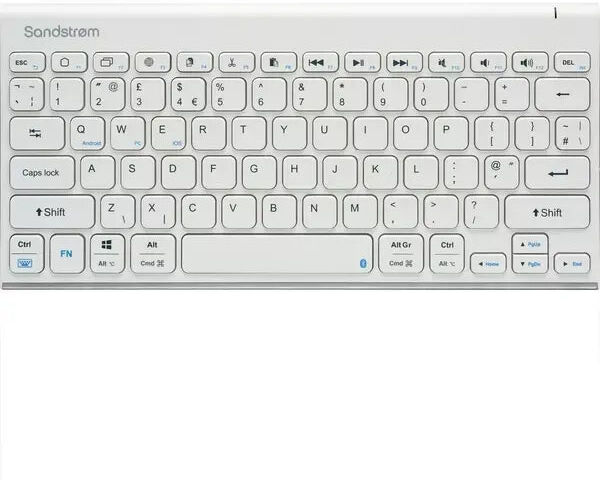
SANDSTROM SKBWHBT25 Wireless Keyboard - WhiteOverview Type with comfort and convenience using the Sandstrom SKBWHBT25 Wireless Keyboard in sleek white — a reliable and user‑friendly accessory for your home or office setup. This wireless keyboard delivers responsive keys, simple Bluetooth connectivity and a slim profile that complements modern workspaces. Whether you’re browsing, working, streaming or studying, the Sandstrom SKBWHBT25 makes typing effortless and clutter‑free. Key Features Wireless Bluetooth Connectivity – Connects easily to laptops, desktops, tablets and other Bluetooth‑enabled devices without cables. Slim, Lightweight Design – Compact and portable keyboard that fits neatly into any workspace or travel bag. White Finish – Elegant colour that matches a range of devices and décor. Comfortable Key Layout – Standard key spacing and tactile feedback for smooth typing. Plug‑and‑Play Setup – Quick pairing with compatible devices for instant use. Extended Battery Life – Efficient power performance for long usage between charges or battery changes. Benefits The Sandstrom SKBWHBT25 Wireless Keyboard improves your everyday typing experience with wireless freedom and a streamlined design. Built for versatility, it pairs effortlessly with smartphones, tablets, laptops and PCs — keeping your desk tidy and your focus uninterrupted. Its lightweight form factor and comfortable keys make it ideal for long typing sessions, whether you’re handling emails, editing documents, or engaging in creative projects. Specification Detail Product Name Sandstrom SKBWHBT25 Wireless Keyboard Connectivity Bluetooth (Wireless) Colour White Design Slim, Lightweight Compatibility Bluetooth‑enabled laptops, tablets & desktops Key Layout Standard Typing Keys Power Source Battery‑powered (typically AA/AAA) Brand Sandstrom39,94 £*Shipping: 0,00 £Secure redirect to the provider


-
Has water spilled on the laptop keyboard?
I'm sorry, I cannot physically inspect the laptop to determine if water has spilled on the keyboard. However, if water has spilled on the laptop keyboard, it is important to immediately power off the laptop, unplug it, and remove the battery if possible. Then, gently dry the keyboard with a clean, dry cloth and allow the laptop to air dry for at least 24-48 hours before attempting to turn it on again. It is also recommended to seek professional assistance to ensure that the laptop is thoroughly dried and to prevent any potential damage. **
-
Has water spilled over the laptop keyboard?
I'm sorry, I cannot physically observe the laptop to determine if water has spilled over the keyboard. However, if water has spilled over the laptop keyboard, it is important to immediately power off the laptop, unplug it, and remove the battery if possible. Then, dry the laptop thoroughly with a towel and let it sit in a dry, warm area for at least 24 hours before attempting to turn it on again. It is also recommended to take the laptop to a professional for further inspection and potential repairs. **
-
How does water affect a mechanical keyboard?
Water can have a detrimental effect on a mechanical keyboard as it can cause the electrical components to short circuit and the metal contacts to corrode. Additionally, water can damage the switches and keycaps, leading to malfunction and reduced performance. It is important to keep a mechanical keyboard away from water and to immediately dry it thoroughly if it does come into contact with any liquid. Regular maintenance and cleaning can also help prevent water damage to a mechanical keyboard. **
-
How does a mechanical keyboard react to water?
A mechanical keyboard can react to water in a few different ways. If only a small amount of water is spilled on the keyboard, it may be able to dry out and continue functioning normally. However, if a significant amount of water gets into the switches or circuitry, it can cause the keyboard to malfunction or stop working altogether. In some cases, the water can cause the switches to become sticky or unresponsive. It's important to immediately disconnect the keyboard and thoroughly dry it if water is spilled on it to minimize potential damage. **


Is the keyboard broken due to water damage?
It is possible that the keyboard is broken due to water damage. Water can cause electrical components to short circuit and corrode, leading to malfunction. If the keyboard was exposed to water and is now not functioning properly, it is likely that water damage is the cause. It is important to have the keyboard inspected and repaired by a professional to determine the extent of the damage and to prevent further issues. **
What is water damage to a mechanical keyboard?
Water damage to a mechanical keyboard occurs when liquid, such as water or any other liquid, comes into contact with the keyboard's internal components. This can cause the keyboard to malfunction or stop working altogether. Water damage can lead to corrosion of the electrical contacts, short circuits, and damage to the mechanical switches. It is important to avoid exposing a mechanical keyboard to any liquid to prevent water damage and maintain its functionality. **
Top-Angebote
Products related to Keyboard:
-
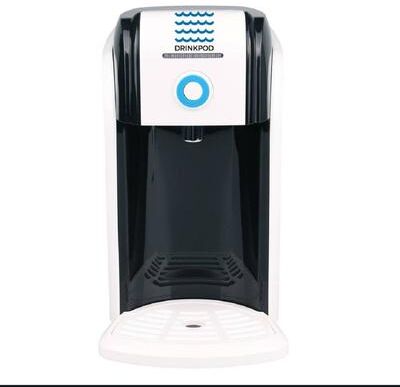
DRINKPOD Hydrate Mineral Spring Countertop Water Filtration Purification System, 4 Stage Water Filter, Water Dispenser**Upgrade Your Drinking Water with a Premium Tabletop Water Dispenser** Enhance your hydration experience with a high-quality tabletop water dispenser that provides refreshingly pure water at your fingertips.113,15 $*Shipping: 0,00 $Secure redirect to the provider
-
Lenovo Bluetooth Keyboard 800 Wireless Keyboard - GreyDescription With ambient light charging and no battery required, the Lenovo Bluetooth Keyboard 800 is a self-charging wireless keyboard designed for everyday use wherever you are. It uses dynamic ambient light collection panels and a supercapacitor to gather and store energy, removing the need for traditional batteries, cables or power outlets. Bluetooth 5.1 connectivity supports up to three devices, with quick pairing through Microsoft Swift Pair. The piston switch is spill-proof and provides 2 mm key movement, while each key is designed for a lifecycle of up to 10 million clicks. Its compact light-conversion panels generate power efficiently, including in low-light conditions, and the keyboard uses just 25% of the power of a standard keyboard. When fully charged, it can operate for up to one month, including in complete darkness. An essential addition for users seeking a durable, battery-free keyboard for everyday computing and multi-device use.66,49 £*Shipping: 0,00 £Secure redirect to the provider
-
Logitech Wireless Touch Keyboard K400 Wireless Keyboard With Touchpad - BlackDescription The Logitech Wireless Touch Keyboard K400 combines a keyboard with a built-in multi-touch touchpad for convenient control from a distance. It is designed for people who want to control a laptop connected to a TV, including while browsing the web from the couch. Quiet keys with bold, easy-to-read characters support comfortable typing, while the large 3.5-inch touchpad provides multi-touch navigation for easier web browsing. The wireless connection offers a range of up to 10 metres, or 33 feet, and uses a tiny Logitech Unifying wireless receiver that plugs into a laptop's USB port. The keyboard works with Windows XP, Windows Vista, Windows 7 and Windows 8, as well as Windows 8 RT. An essential addition for home entertainment setups, TV-connected laptops and convenient wireless web browsing.74,99 £*Shipping: 0,00 £Secure redirect to the provider
-
HP USB SmartCard Keyboard – UK Layout (QWERTY) – Wired Security KeyboardOverview The HP USB SmartCard Keyboard combines comfortable typing with advanced smart card security, making it the ideal solution for professional, government, and enterprise users. Designed in a UK QWERTY layout, this full-sized wired keyboard offers seamless integration with HP and third-party systems that require two-factor authentication, identity protection, or secure logins—ensuring your data stays safe without compromising on productivity. Key Features Integrated Smart Card Reader – Supports secure logins, access control, and authentication UK QWERTY Layout – Full-size keyboard with number pad for efficient data entry USB Wired Connection – Reliable, plug-and-play connectivity without the need for drivers Government-Grade Security – Ideal for agencies and enterprises requiring CAC, PIV, or other smart card access Ergonomic Design – Quiet keys with a low-profile layout for comfortable long-term use Compatible with Windows & SmartCard Middleware – Works with most enterprise security applications HP Business-Class Reliability – Built with quality materials for heavy-duty office use Long USB Cable – Flexible placement for desktop setups Benefits The HP USB SmartCard Keyboard enables users to implement secure two-factor authentication through the integrated card reader—helping reduce fraud, enforce access control, and meet compliance standards. Ideal for businesses handling sensitive data, healthcare professionals, IT administrators, and financial services, this keyboard protects both login credentials and transmitted data, while maintaining a comfortable and professional typing experience. Specifications Specification Details Model HP USB SmartCard Keyboard Layout UK QWERTY Interface USB-A (Wired) Smart Card Compatibility ISO 7816, CAC, PIV, Java Card, and more Cable Length Approx. 1.8 metres Keys Full-size, low-profile membrane keys OS Compatibility Windows 10/11, Windows Server, ThinPro, Linux Security Protocols Two-factor authentication, secure sign-in Dimensions Approx. 460 x 165 x 30 mm Weight Approx. 900g Colour Black27,94 £*Shipping: 0,00 £Secure redirect to the provider
-
Has water spilled into the keyboard?
I'm sorry, I cannot physically check if water has spilled into the keyboard. However, if water has spilled into the keyboard, it is important to immediately disconnect the keyboard from the power source and turn it upside down to let the water drain out. It is also recommended to let the keyboard dry completely before attempting to use it again to avoid damage. If the water spill is significant, it may be necessary to seek professional help to clean and repair the keyboard. **
-
Is water dangerous on the keyboard?
Yes, water is dangerous on the keyboard as it can cause damage to the electronic components and lead to malfunctioning. When water comes into contact with the keyboard, it can short-circuit the circuits and cause the keys to stop working. It is important to keep liquids away from the keyboard to prevent any potential damage. If water does spill on the keyboard, it should be immediately turned off and unplugged, and then thoroughly dried to prevent any lasting damage. **
-
Has water spilled on the laptop keyboard?
I'm sorry, I cannot physically inspect the laptop to determine if water has spilled on the keyboard. However, if water has spilled on the laptop keyboard, it is important to immediately power off the laptop, unplug it, and remove the battery if possible. Then, gently dry the keyboard with a clean, dry cloth and allow the laptop to air dry for at least 24-48 hours before attempting to turn it on again. It is also recommended to seek professional assistance to ensure that the laptop is thoroughly dried and to prevent any potential damage. **
-
Has water spilled over the laptop keyboard?
I'm sorry, I cannot physically observe the laptop to determine if water has spilled over the keyboard. However, if water has spilled over the laptop keyboard, it is important to immediately power off the laptop, unplug it, and remove the battery if possible. Then, dry the laptop thoroughly with a towel and let it sit in a dry, warm area for at least 24 hours before attempting to turn it on again. It is also recommended to take the laptop to a professional for further inspection and potential repairs. **
Similar search terms for Keyboard
-
Kensington - Wired Keyboard - BlackBrand Kensington Product Dimensions 18.9 x 6.89 x 1.85 cm; 199.58 Grams Item model number 1500109BFR Manufacturer ACCO Brands Series 1500109PN Colour Black Form Factor Standard Power Source USB Operating System Windows 8, Windows 7, Windows 10 Are Batteries Included No Item Weight 200 g12,99 £*Shipping: 0,00 £Secure redirect to the provider
-
SANDSTROM SKBWHBT25 Wireless Keyboard - WhiteOverview Type with comfort and convenience using the Sandstrom SKBWHBT25 Wireless Keyboard in sleek white — a reliable and user‑friendly accessory for your home or office setup. This wireless keyboard delivers responsive keys, simple Bluetooth connectivity and a slim profile that complements modern workspaces. Whether you’re browsing, working, streaming or studying, the Sandstrom SKBWHBT25 makes typing effortless and clutter‑free. Key Features Wireless Bluetooth Connectivity – Connects easily to laptops, desktops, tablets and other Bluetooth‑enabled devices without cables. Slim, Lightweight Design – Compact and portable keyboard that fits neatly into any workspace or travel bag. White Finish – Elegant colour that matches a range of devices and décor. Comfortable Key Layout – Standard key spacing and tactile feedback for smooth typing. Plug‑and‑Play Setup – Quick pairing with compatible devices for instant use. Extended Battery Life – Efficient power performance for long usage between charges or battery changes. Benefits The Sandstrom SKBWHBT25 Wireless Keyboard improves your everyday typing experience with wireless freedom and a streamlined design. Built for versatility, it pairs effortlessly with smartphones, tablets, laptops and PCs — keeping your desk tidy and your focus uninterrupted. Its lightweight form factor and comfortable keys make it ideal for long typing sessions, whether you’re handling emails, editing documents, or engaging in creative projects. Specification Detail Product Name Sandstrom SKBWHBT25 Wireless Keyboard Connectivity Bluetooth (Wireless) Colour White Design Slim, Lightweight Compatibility Bluetooth‑enabled laptops, tablets & desktops Key Layout Standard Typing Keys Power Source Battery‑powered (typically AA/AAA) Brand Sandstrom39,94 £*Shipping: 0,00 £Secure redirect to the provider
-
Logitech Pop Icon Combo Wireless Keyboard & Mouse Set - Lilac & Off White (UK Style Keyboard), NewAdd a splash of personality to your workspace with the Logitech POP Icon Combo – Wireless Keyboard & Mouse Set in Lilac & Off White (UK Layout). This vibrant duo combines retro-inspired aesthetics with modern functionality, offering a compact, stylish solution for your everyday computing needs. Key Features: ✔️ UK QWERTY Layout – Tailored for UK users, ensuring familiar key placement and symbols. ✔️ Lilac & Off White Color Scheme – A striking combination that adds personality to your desk. ✔️ Wireless Connectivity – Bluetooth-enabled for a clutter-free setup and easy device switching. ✔️ Multi-Device Pairing – Seamlessly switch between up to three devices with the Easy-Switch buttons. ✔️ Customizable Emoji Keys – Dedicated keys for quick access to your favorite emojis. ✔️ Quiet Typing Experience – Low-profile keys designed for comfortable and silent typing. ✔️ POP Mouse Features – Smooth scrolling, precise tracking, and a compact, ambidextrous design. ✔️ Long Battery Life – Keyboard lasts up to 36 months; mouse up to 24 months (battery life may vary based on usage). ✔️ Sustainable Materials – Made with post-consumer recycled plastic and packaged responsibly. ✔️ Wide Compatibility – Works with Windows, macOS, Chrome OS, iPadOS, and more. The Logitech POP Icon Combo is perfect for those who value both aesthetics and performance. Its unique design and user-friendly features make it a standout choice for anyone looking to personalize their desk space while maintaining productivity.64,99 £*Shipping: 0,00 £Secure redirect to the provider
-
How does water affect a mechanical keyboard?
Water can have a detrimental effect on a mechanical keyboard as it can cause the electrical components to short circuit and the metal contacts to corrode. Additionally, water can damage the switches and keycaps, leading to malfunction and reduced performance. It is important to keep a mechanical keyboard away from water and to immediately dry it thoroughly if it does come into contact with any liquid. Regular maintenance and cleaning can also help prevent water damage to a mechanical keyboard. **
-
How does a mechanical keyboard react to water?
A mechanical keyboard can react to water in a few different ways. If only a small amount of water is spilled on the keyboard, it may be able to dry out and continue functioning normally. However, if a significant amount of water gets into the switches or circuitry, it can cause the keyboard to malfunction or stop working altogether. In some cases, the water can cause the switches to become sticky or unresponsive. It's important to immediately disconnect the keyboard and thoroughly dry it if water is spilled on it to minimize potential damage. **
-
Is the keyboard broken due to water damage?
It is possible that the keyboard is broken due to water damage. Water can cause electrical components to short circuit and corrode, leading to malfunction. If the keyboard was exposed to water and is now not functioning properly, it is likely that water damage is the cause. It is important to have the keyboard inspected and repaired by a professional to determine the extent of the damage and to prevent further issues. **
-
What is water damage to a mechanical keyboard?
Water damage to a mechanical keyboard occurs when liquid, such as water or any other liquid, comes into contact with the keyboard's internal components. This can cause the keyboard to malfunction or stop working altogether. Water damage can lead to corrosion of the electrical contacts, short circuits, and damage to the mechanical switches. It is important to avoid exposing a mechanical keyboard to any liquid to prevent water damage and maintain its functionality. **
* All prices are inclusive of VAT and, if applicable, plus shipping costs. The offer information is based on the details provided by the respective shop and is updated through automated processes. Real-time updates do not occur, so deviations can occur in individual cases. ** Note: Parts of this content were created by AI.